If you have launched a site and cannot find it in search results, you are probably asking the same question many new site owners ask: how to get your website to show up on Google.
The answer usually comes down to two things. First, Google needs to find and index your pages. Second, your pages need enough quality and relevance to rank well. If one of those steps is missing, your site may stay invisible in Google search.
The good news is that most website visibility problems are fixable. With the right setup, helpful content, and a few core SEO improvements, you can give your site a much better chance to show up on Google search results.
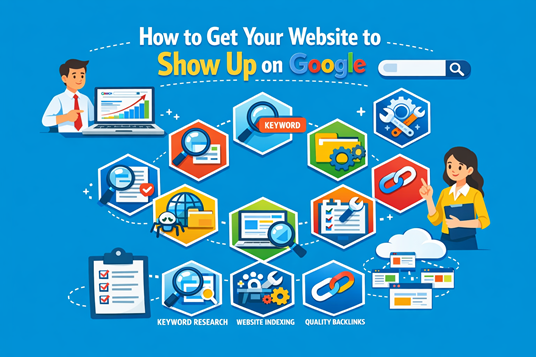
What It Means to Show Up on Google
Before fixing the problem, it helps to understand what “show up on Google” actually means.
Indexing vs. ranking
Indexing means Google has discovered a page and added it to its search database. If a page is not indexed, it generally will not appear in search results.
Ranking is different. Ranking decides where your indexed page appears when someone searches for a relevant term. A page may be indexed but still buried far down in results if Google sees stronger alternatives.
So if you want to get indexed by Google and improve visibility, you need to handle both discovery and quality.
Why some websites are live but invisible in search
A site can be fully live and still not appear in Google for several reasons:
Google has not crawled it yet
important pages are blocked
content is too thin or unclear
the site lacks basic SEO signals
the domain is brand new and has little trust
That is why simply publishing a website is not enough. You need to help search engines access, interpret, and trust your content.
Start With Google Search Console
One of the best tools for understanding why your site does or does not show up on Google search is Google Search Console.
Verify your website
Start by verifying ownership of your domain in Google Search Console. This gives you access to reports about indexing, search visibility, and technical issues.
Without this step, you are mostly guessing. With it, you can see whether Google can actually access your pages.
Submit important pages for indexing
Use the URL inspection tool to submit key pages for indexing. This is especially useful when you publish new content or update critical pages.
Focus on pages like:
homepage
main service pages
product pages
location pages
blog posts
Requesting indexing does not guarantee immediate rankings, but it can help Google discover pages faster.
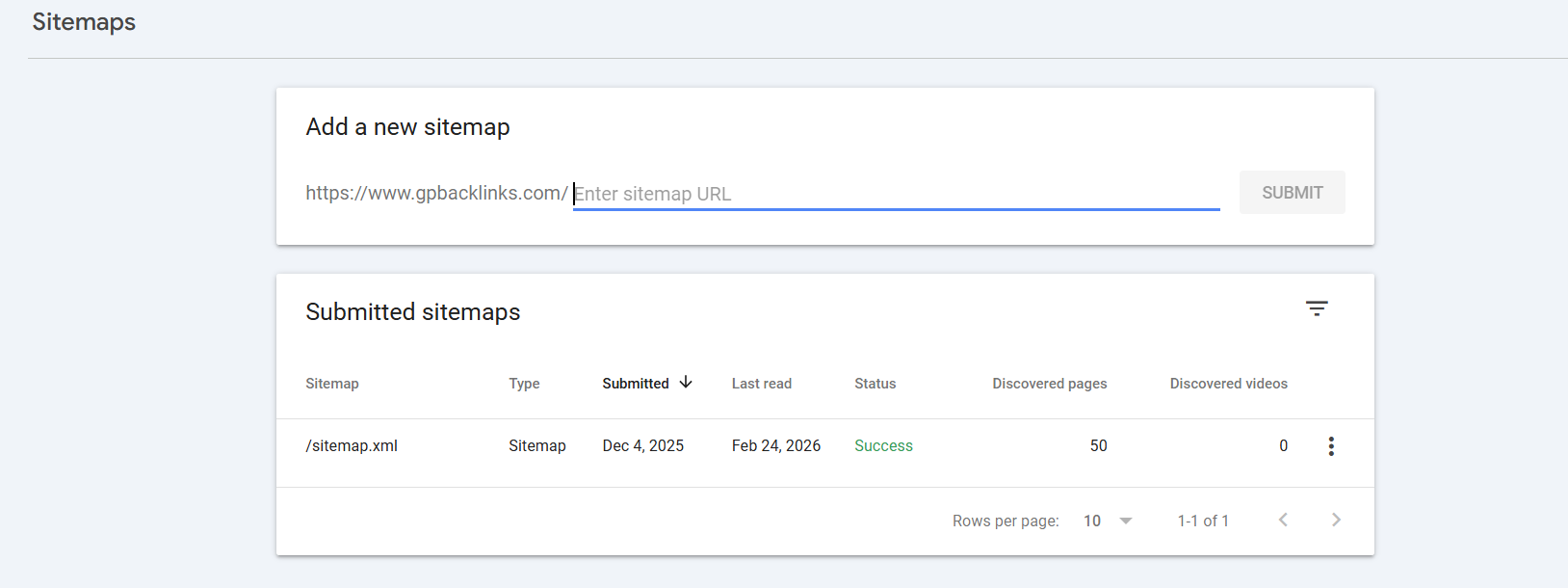
Send your XML sitemap
An XML sitemap lists your important URLs in a structured way. Submitting it through Search Console helps Google crawl your website more efficiently.
A sitemap is especially useful for:
new websites
large sites
sites with pages that are hard to reach through navigation
sites that publish content regularly
Check for Technical Problems Blocking Google
If Google cannot crawl your pages properly, even great content may never appear in search.
Look for noindex tags and robots.txt blocks
A noindex directive tells Google not to include a page in search results. Your robots.txt file can also block crawlers from accessing parts of your website.
This is a very common issue on newly launched or redesigned sites. Developers often use these settings during staging and forget to remove them before launch.
Make sure pages load correctly
Pages should load normally for both users and search engines. If important pages return errors or rely too heavily on scripts to display core content, Google may struggle to process them.
Check for:
404 errors
redirect chains
server issues
incomplete rendering
pages that appear blank when crawled
Test mobile usability and page speed
Google uses mobile-first indexing, so the mobile experience matters a lot. If your site is hard to use on phones, loads slowly, or shifts around visually, that can hurt visibility.
Page speed alone will not make weak content rank, but poor performance can absolutely make a site harder to crawl and worse to use.
Fix broken links, redirects, and duplicate pages
Broken internal links and duplicate pages confuse both users and search engines. If multiple pages compete for the same topic, Google may not know which one to prioritize.
Review your site for:
broken internal links
outdated redirects
duplicate URLs
conflicting page versions
missing canonical signals
Create Pages That Deserve to Rank
Once Google can access your site, your next job is to make your pages good enough to compete.
Target one clear topic per page
Each page should focus on one main topic or intent. A page that tries to cover too many unrelated topics often ends up weak and unfocused.
For example:
a homepage should explain your brand and main offering
a service page should focus on one service
a blog post should answer one clear question
a location page should target one geographic area
This gives Google a clearer understanding of what each page is about.
Use keywords naturally
Keywords still matter, but they need to fit naturally into the page. Use your target phrase where it makes sense, including in the title, H1, opening paragraph, and a few relevant headings or body sections.
Related terms such as show up on Google search, get indexed by Google, and improve Google ranking also help reinforce the topic when used naturally.
Write original, helpful content
If your page is generic, copied, or too shallow, it will struggle to compete. Google tends to reward content that clearly helps the searcher solve a problem.
Helpful content often includes:
direct answers
step-by-step guidance
examples
clear formatting
unique insight based on real experience
The goal is not to sound “SEO-friendly.” The goal is to be genuinely useful.
Improve Your On-Page SEO
On-page SEO helps search engines understand your content and can improve how your result appears in search listings.
Optimize title tags and meta descriptions
Your title tag should describe the page clearly and include the primary topic naturally. Your meta description should summarize the page and encourage clicks.
A strong title can improve relevance. A strong meta description can improve click-through rate once your page begins showing up on Google.
Use headings clearly
Heading structure matters. Use one H1 for the main page topic, then organize supporting ideas with H2 and H3 headings. This makes the page easier to scan and easier for Google to interpret.
It also creates natural opportunities to include related keywords without forcing them.
Add internal links
Internal links help Google discover more pages on your site and understand how topics connect. They also keep users moving through your website.
For example, this article could link to pages about:
beginner SEO tips
technical SEO audits
local SEO basics
content marketing strategy
page speed optimization
Clean up image alt text and URLs
Use short, readable URLs that reflect the page topic. Add image alt text that accurately describes the image for accessibility and context.
Avoid stuffing keywords into either element. Clear and simple is better.
Build Trust Signals That Help Visibility
Even well-optimized pages often need trust signals before they can rank strongly.
Earn relevant backlinks
Backlinks from reputable websites can support stronger Google visibility. They signal that other sites consider your page worth referencing.
You do not need to chase spammy link building. Focus on earning links through useful assets such as:
detailed guides
original resources
research summaries
tools
partnerships and mentions
Keep your website updated
Websites that stay current often perform better than those left untouched. Updating important pages helps keep them relevant and more competitive.
Refresh:
outdated examples
old screenshots
weak sections
missing FAQs
obsolete service details
Strengthen local signals if you serve a local market
If you serve customers in a city or region, local SEO can help you show up faster for nearby searches. Keep your business details consistent across the web, optimize your Google Business Profile, and create location-specific pages where appropriate.
For local companies, this can be one of the most practical ways to improve Google visibility.
How Long It Takes to Show Up on Google
SEO usually takes longer than people expect.
When new pages get indexed
A new page can sometimes be indexed quickly, especially if the site is technically clean and already connected to Search Console. In other cases, it may take longer, particularly for new domains or poorly linked sites.
Why rankings take longer
Getting indexed is only the beginning. Ranking depends on how your page compares with other results for the same topic.
Google considers factors such as:
content quality
search intent match
authority
competition
backlinks
overall site health
That is why learning how to get your website to show up on Google also means understanding that rankings are earned over time.
Reasons Your Website Still Is Not Showing Up
If your site still is not visible, one of these issues may still be the problem.
Your site is new
New websites often need time before Google trusts them. This is normal, especially if the domain has little content and no links pointing to it.
Your content is too weak
If your page does not offer anything better, clearer, or more useful than competing results, it may remain hard to find in Google search.
Google has not crawled the page yet
A page may still be waiting for discovery. This is more likely if it is buried in weak navigation, missing from the sitemap, or not linked internally.
Technical settings are still blocking visibility
Even one technical mistake can stop a page from appearing. That is why technical SEO checks should be part of your regular website maintenance.
Conclusion
If you want to know how to get your website to show up on Google, start with the basics. Make sure Google can crawl and index your pages. Then improve your technical SEO, publish content that genuinely helps people, and build trust over time.
For most websites, this is not a one-time fix. It is an ongoing process of improving site health, content quality, and authority. The sooner you begin, the sooner your pages can start to show up on Google search and compete for meaningful rankings.
FAQ
Why is my website not showing up on Google?
Usually because the page is not indexed, the site is blocking search engines, or the content is not strong enough to rank well.
How can I get my website indexed faster?
Use Google Search Console, submit key URLs, send an XML sitemap, improve internal linking, and remove technical blocks that stop crawlers.
Is Google Search Console free?
Yes. It is free and one of the most important tools for checking whether Google can find and index your website.
Can I rank without backlinks?
Yes, for some low-competition topics. But backlinks often help, especially when the niche is crowded and other sites already have stronger authority.